Introducing Wonderchat Helpdesk
Wonderchat already answers most of your customers' questions. Now, its ready to run the rest of your support too.
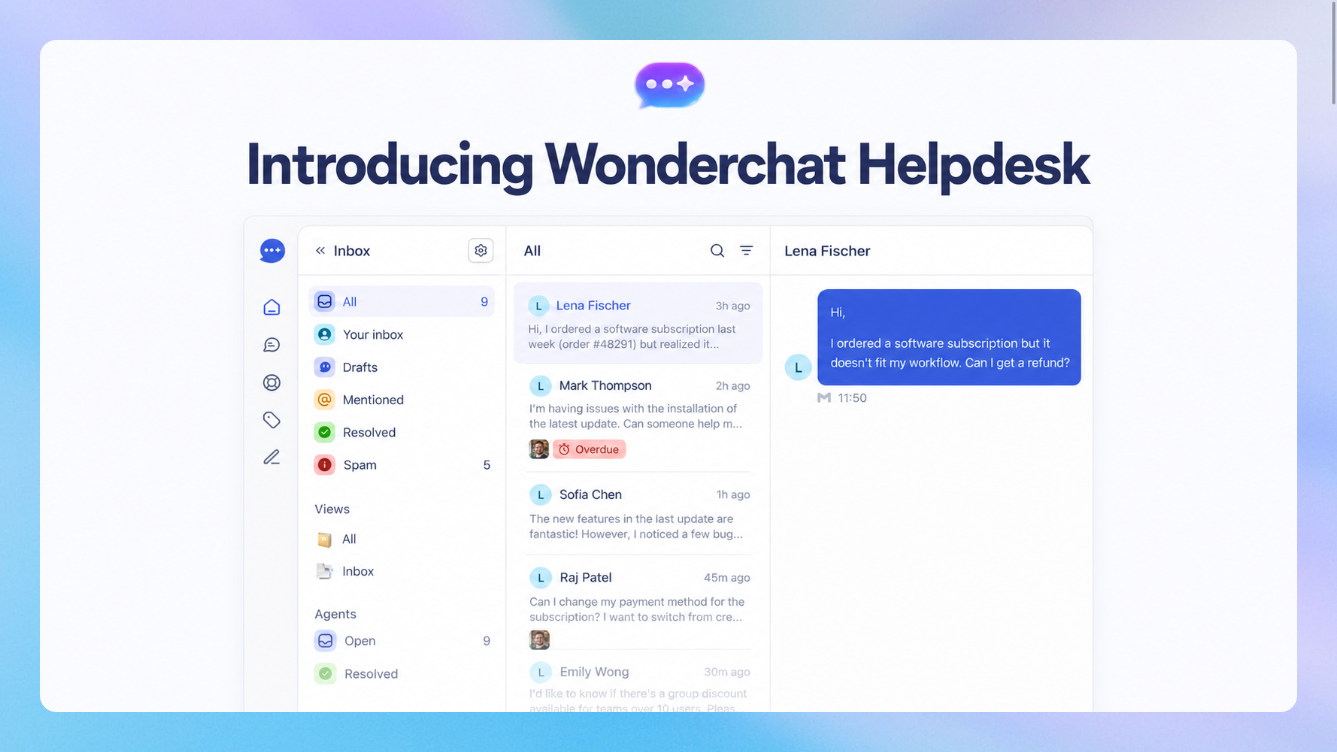
Wonderchat Helpdesk brings email, live chat, WhatsApp, SMS and every human handover into one inbox, with AI working each ticket alongside your team. No per-seat pricing, no per-resolution fees, and no second tool to stitch together.
Here's what's new.
📬 Native email integration
Connect your support mailbox (Gmail, Outlook, or any provider) or use a Wonderchat-hosted address, and every incoming email becomes a ticket.
True two-way sync. Reply from Wonderchat or from your own email client. Either way the thread stays in sync, CCs are kept, and your customer sees one clean conversation.
AI that drafts or replies for you. Your agent reads the thread, checks your knowledge base, and writes the reply in your team's voice. Send it automatically, after a delay, or keep it as a draft for a human to approve.
Smart spam filtering. Cold pitches, newsletters and auto-replies are screened out before they hit your queue, and the filter learns every time you mark something as spam or not spam.
Handles real-world email. Forwards, CC'd colleagues, replies from a second address, out-of-office bounces. It all lands on the right ticket instead of creating duplicates.
🗂️ One inbox for every channel
Every conversation your team needs to handle now lives in one place. Email tickets, live chats from your website widget, WhatsApp, SMS, and every chat your AI agent hands over to a human.
One place for your whole support team. See what's new, what's on you, and what's waiting on the customer at a glance.
SLAs that respect business hours. Set response targets and get alerted before a ticket breaches, not after.
Intelligent assignment. Tickets are routed to the right team based on what they're about, then round-robined to whoever is on duty. Set up on-call rotations and after-hours cover, and mark yourself Away so nothing gets assigned to an empty desk.
Auto-priority. Every new ticket is triaged High, Medium or Low using your own definitions of what urgent means.
Lives where your team already works. Get notified in Slack, Microsoft Teams, email or in-app. New tickets, assignments, @mentions, customer replies and SLA alerts post to your channels, threaded per ticket.
AI that takes action, with you in control. Your agent can prepare account work like refunds or plan changes right inside the ticket. A teammate reviews and clicks approve before anything runs.
Collaborate in context. Internal notes, @mentions, followers, tags and saved replies, all on the ticket.
🤖 Agent-native with MCP
Wonderchat Helpdesk is built for the AI tools your team already uses. Connect Claude, ChatGPT, Cursor or any MCP client to your inbox and let your own agent work alongside you.
Work the queue from your AI assistant. List and search tickets, read full conversation history, and pull up past tickets to see how similar issues were solved.
Draft replies without opening the dashboard. Your agent drafts a reply and saves it to the ticket for review. Nothing is sent until you say so.
Triage in bulk. Assign, tag, add notes, set priority, close or reopen tickets with a single prompt.
Secure by default. Sign in with OAuth or an API key scoped to the agents you choose. Your assistant sees exactly what you'd see in the dashboard, nothing more.
Get started
Wonderchat Helpdesk is available on all plans. Head to Inbox in your dashboard. Connect your email under Channels → Email, set up assignment and SLAs in Inbox settings, and connect your AI assistant from Settings → API keys → Connect via MCP.
We'd love to hear what you think! Feel free to reach out to support@wonderchat.io if you have any feedback or encounter issues setting up!